ValueMapper Account
Use the ValueMapper account site to manage promotions, customer records, connected systems, and the way your account appears in RO Wallet.
Start here
| Guide | Use it to |
|---|---|
| Dashboard and overview | Read account activity, redemption trends, and recent events. |
| Managing promotions | Create offers, choose how they are fulfilled, and manage redemption codes. |
| Managing contacts | Find customers, inspect wallets, and understand connected identities. |
| Managing webhooks | Send signed ValueMapper events to your systems. |
| Managing merchants | Configure venues and understand their effect on MCP and RO Wallet. |
| RO Wallet settings | Control brand presentation, balances, joining, and redemption behaviour. |
| Managing your team | Invite people, assign roles, and review account access. |
| Account settings | Maintain account identity, currency, status, integrations, and API tokens. |
Get help while you work
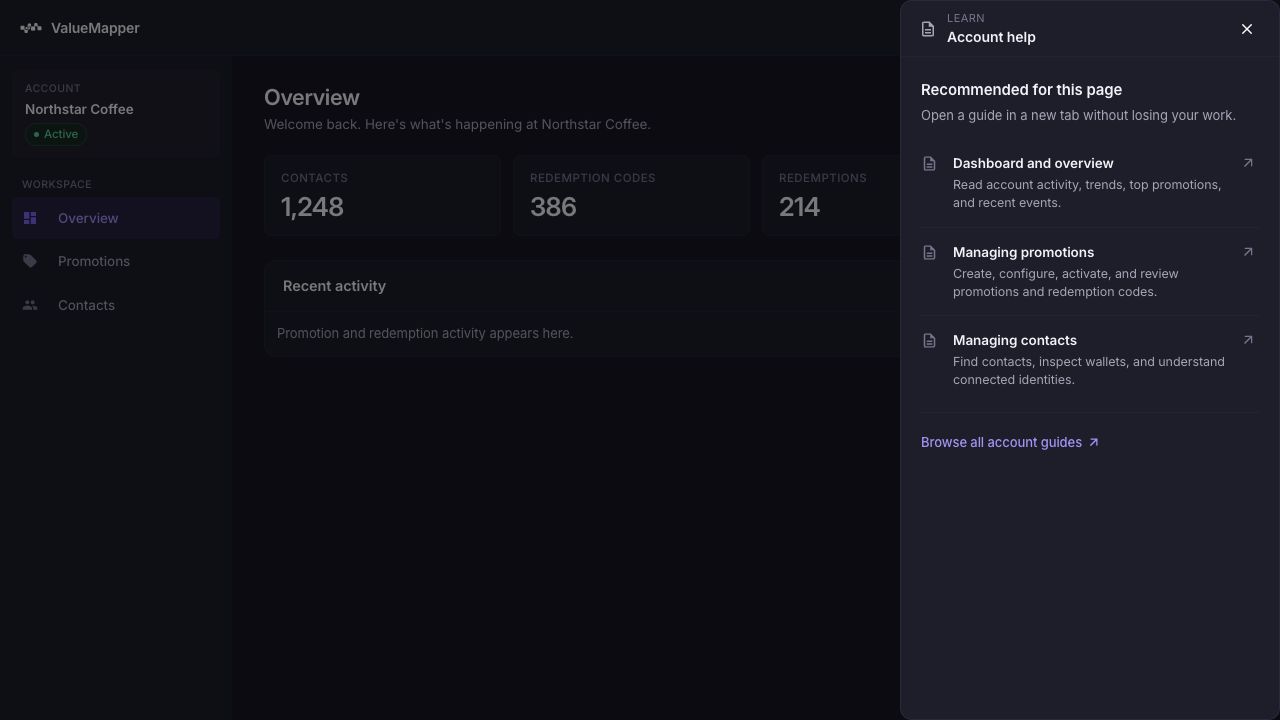
Select Learn in the top bar of the account site. The help panel recommends the guide for your current page and opens documentation in a new tab, so your current work remains in place.
tip
The account selector at the top of the left navigation shows which account you are changing. Check it before editing settings or creating a promotion.